
5 Essential Mixing Tools & Accessories for 2024
The world of music production, mixing, and mastering is constantly evolving, and whether you’re just starting out or a seasoned professional, having the right tools can make all the difference. In this guide, we’ll explore five essential apps, websites, and accessories that can enhance your workflow, improve mix translation, and facilitate better communication with clients. And don’t worry—I’m not here to discuss Sonarworks, although it’s worth considering if you can’t stretch to Trinnov’s price tag.
Let’s dive into the accessories and apps you’ll need in 2024.
1. SoundToggle: The Before and After Music Player for Your Website
SoundToggle is a fantastic tool for those looking to showcase their audio work in a professional manner. It functions as an A/B music player, allowing your clients to toggle between the unprocessed audio and your finished mix or master. Unlike SoundCloud, which serves as a decent portfolio host, SoundToggle provides an immediate way for clients to appreciate the transformation you’ve achieved.
The player supports lossless audio and is highly customisable, easily embedded into website builders like Squarespace, Wix, or WordPress. No coding expertise is required—simply export the code block from SoundToggle and paste it into your website. For those who prefer a more streamlined approach, you can share a direct URL to the player hosted on SoundToggle’s website.
2. Listen Hub: Advanced Referencing and Monitoring from Sonnox
When you’re ready to start working on a mix, Listen Hub by Sonnox is an essential monitoring toolbox that helps you gain deeper insights into your tracks. This system-wide Mac app allows you to reference your mixes against tracks from streaming platforms like Spotify and Apple Music, offering valuable feedback on loudness and dynamics compared to your reference tracks.
One of Listen Hub’s standout features is its frequency isolation bands, enabling you to examine different frequency ranges in detail. You can even apply these bands to reference tracks, giving you an edge when fine-tuning your mix. Other features include mono compatibility checks, stereo imaging adjustments, and various listening modes (left, right, sides).
For added convenience, Listen Hub is available as an app for iPhone, iPad, and Android devices, allowing you to use it permanently on a secondary device. No more switching between windows or constantly pulling up plugins.
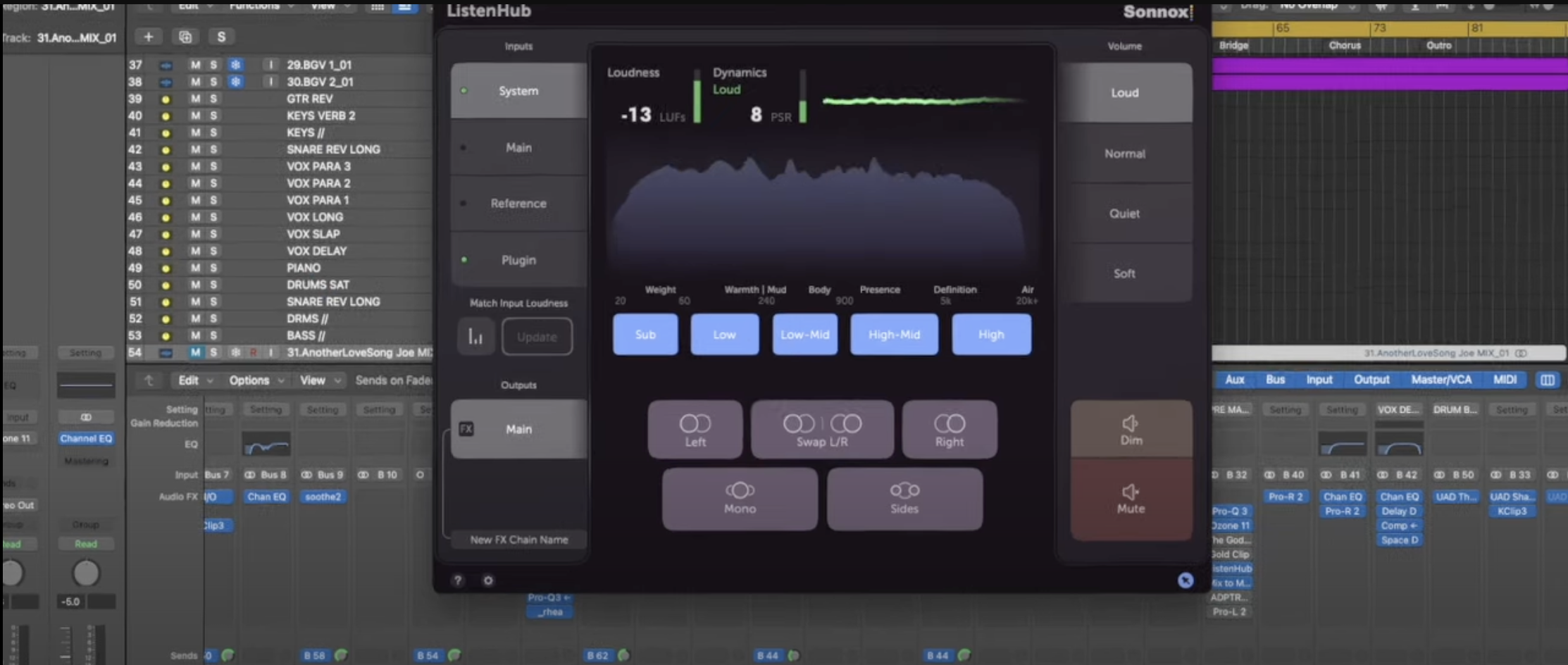
Listen Hub by Sonnox
3. Mix To Mobile: Ensuring Mix Translation Across Different Devices
We all know that mix translation is crucial for any successful track, and Mix To Mobile is here to help. This plugin for Mac and Windows connects your DAW session directly to your mobile device via Wi-Fi or USB. It allows you to check your mix on your phone, as well as on any Bluetooth devices connected to it, such as AirPods, Alexa speakers, or other consumer audio equipment.
Mixing for mobile devices is quite different from mixing for headphones or studio monitors, as mobile speakers tend to highlight certain issues, such as overused saturation or masking of key frequencies. For instance, bass presence at 200Hz is important for phones and laptops, but the same frequency can easily overload snare drums on these systems. Being able to hear how your mix translates across various devices gives you the upper hand when finalising tracks.
4. Anker SoundCore 2: The Budget-Friendly Portable Speaker for Reference Mixing
Speaking of consumer devices, it’s always beneficial to have a few on hand to reference your mixes and hear what your audience will experience. A great option is the Anker SoundCore 2 portable speaker. These affordable speakers—available for around £40—are an effective alternative to costly mix cubes that often run up to £500 a pair.
The SoundCore 2 speakers are stereo but due to their small size, they almost simulate a mono output. While the bass response is limited and the top end is less refined, this is precisely the point. Many people consume music on devices like this, so if your mix sounds good on a speaker with such limitations, you know you’re on the right track. You can connect the speaker via Bluetooth (perfect if using Mix To Mobile) or through an Aux cable from your audio interface.
5. MixUp.Audio: A Professional Solution for Sharing Mix Revisions
If you’re tired of sending audio files over messaging apps like WhatsApp, where quality can be compromised, MixUp.Audio is the answer. Developed by PureMix, this platform allows you to host and share various versions and revisions of your tracks, with clients able to leave real-time, timestamped comments.
The free version offers hosting for up to two weeks, with unlimited revisions during that period. While files aren’t downloadable until you release them, you can use the paid version to host your revision folders indefinitely, with password protection and a DAW plugin for direct uploads to the MixUp cloud. This method provides a professional approach to sharing mixes with everyone involved in a project—from artists and producers to managers and A&R teams—while keeping audio quality intact.
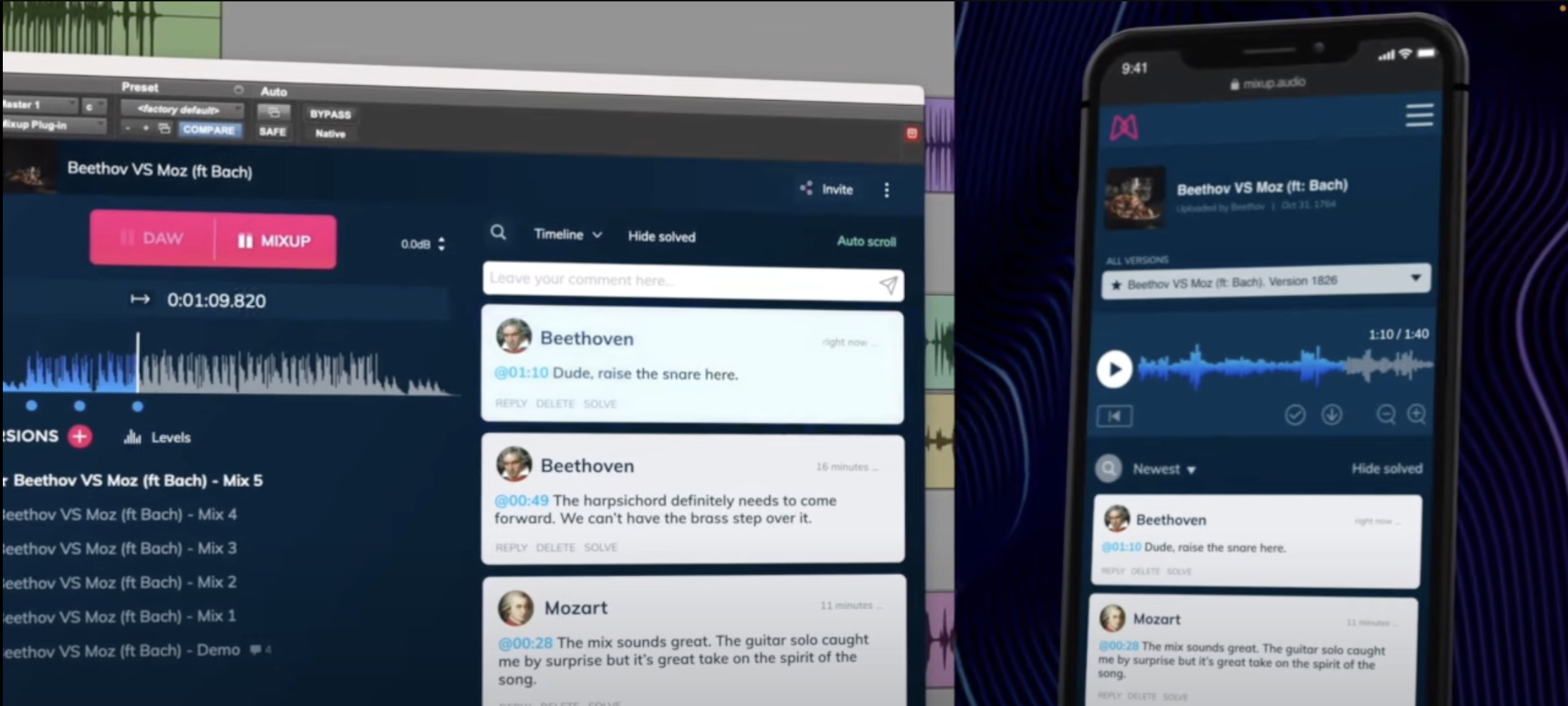
MixUp by PureMix is available on both desktop and mobile.
Bonus Recommendation: Topping DX7Pro+ Headphone Amplifier
If you’re working with high-impedance headphones, investing in a quality headphone amp like the Topping DX7Pro+ can significantly improve your listening experience. This versatile amplifier is suitable for studio use, offering the power and clarity needed to drive demanding headphones. It’s a worthy addition to any studio setup, especially when fine-tuning mixes and ensuring every detail is audible.
These apps, accessories, and tools will undoubtedly enhance your workflow in 2024, whether you’re refining your mixing techniques, communicating with clients, or improving mix translation across different listening environments. Let me know in the comments which tools are new to you, and if there’s anything else you’d recommend for a top-notch studio setup!

