
5 Essentials to Start Making Music at Home
If you’ve been wanting to dive into music production, now is a great time to start! With just a few basic pieces of equipment, you can set up your own home studio and begin creating. This guide will walk you through five essential tools you’ll need, plus a couple of budget-friendly bundles to help you get started without breaking the bank.
Essentials You’ll Need:
A computer
A microphone
An audio interface
Headphones or speakers
Music production software (also called a DAW)
Let’s dive into each of these essentials and explain why they’re necessary for getting started in music production.
1. Microphone
First up, the microphone—this one might sound obvious, but it’s crucial. A microphone captures sound by converting sound waves into an electrical signal. Inside the microphone, a diaphragm vibrates when it’s hit by sound waves, generating an analogue signal. This analogue signal then needs to be converted to a digital format, which leads us to our next item: the audio interface.
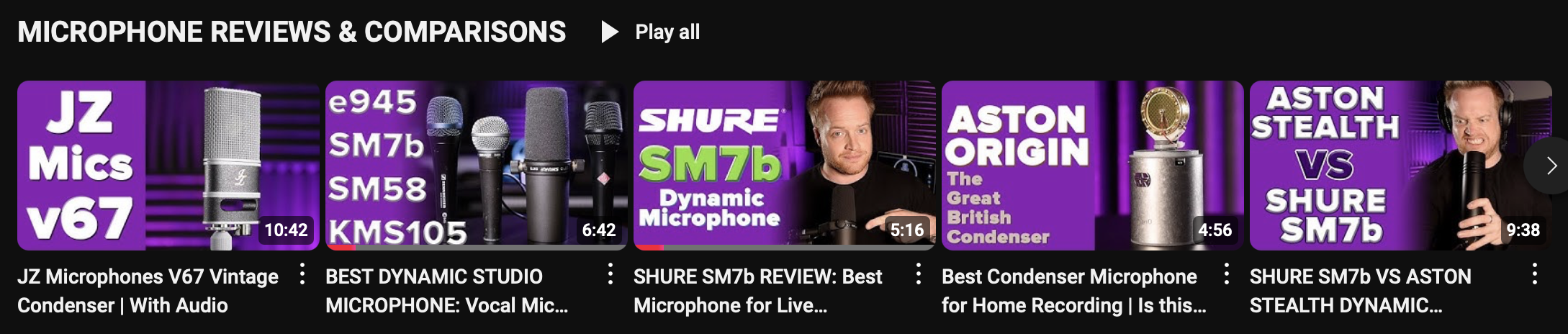
Discover your next microphone by watching my microphone review & comparison videos.
2. Audio Interface
An audio interface is essential for translating the analogue sound from your microphone into a digital signal your computer can process. Simply put, it converts sound waves into a series of ones and zeroes, which your computer then uses to create digital audio. This device also typically allows you to plug in instruments or other microphones and provides a higher quality of audio than plugging directly into a computer.

Search for your new audio interface through my review playlist.
3. Computer
The heart of your home studio is your computer. Whether it’s a Mac or a PC, you’ll need a reliable machine to run your software. Many professional studios use Macs because they tend to be stable and less prone to viruses. However, Windows offers more flexibility for free software options and plugins.
Keep in mind that your computer’s specifications may limit your choice of music production software (DAW). If you’re set on a specific DAW, it’s worth checking its requirements to ensure your computer meets them.
4. Digital Audio Workstation (DAW)
A DAW is the software that allows you to record, edit, mix, and produce your music. In the days before digital, recording studios used massive mixing consoles and a lot of external hardware for EQ, reverb, compression, and other effects. Today, much of this can be achieved “inside the box” using a DAW on your computer.
There are many DAWs available, each with unique features and workflows. Some popular options include Logic Pro, Ableton Live, Pro Tools, and FL Studio. Most DAWs offer a trial version, so you can explore a few before committing to one.
5. Headphones or Studio Monitors
You’ll need a quality way to listen to your music while recording and mixing. Computer speakers aren’t up to the task—they often lack clarity and the necessary range for music production. Headphones are a practical choice, especially if you’re on a budget, as they’re essential for recording anyway.
Budget Monitor Options: If you’re looking for affordable studio monitors, the StudioSpares SN4As are a solid pick at £125 per pair, and the PreSonus Eris 3.5s are another great choice at just £83 per pair—rated by Sound On Sound magazine as one of the best value monitors available.
Useful Extras
While these aren’t strictly necessary, they can make a big difference in your recording quality and workflow:
• Microphone Stand and Reflection Shield to improve audio capture quality
• MIDI Keyboard for playing virtual instruments and enhancing creativity
• Pop Filter to reduce harsh sounds on vocal recordings (a DIY option is to use a coat hanger and a pair of tights!)
Budget-Friendly All-in-One Solutions
If you’re looking for a convenient and affordable way to get started, here are two highly recommended all-in-one solutions:
EVO Start Recording Bundle by Audient: This bundle has everything you need to start recording music, podcasts, or gaming content. It’s compatible with both Mac and PC, and even iOS devices, offering excellent value for money.
Focusrite Scarlett 2i2 Studio Pack: Another great option, featuring Focusrite’s best-selling Scarlett audio interface, headphones, and a condenser microphone—everything you need to jump right in.
With these essentials, you’re well-equipped to start recording and producing your own music. Remember, while investing in quality equipment can improve your results, what’s most important is just getting started. Dive in, experiment, and enjoy the process of bringing your ideas to life.
PURCHASING LINKS
BUY THE EVO BUNDLE
Sweetwater: https://imp.i114863.net/DV0Zyb
Thomann: https://redir.love/thoprod/511466?off...
Amazon: https://amzn.to/3dBy6rC
BUY THE SCARLETT STUDIO PACK
Sweewater: https://imp.i114863.net/RAXoR
Amazon: https://amzn.to/3aHWjJ7
Thomann: https://redir.love/thoprod/468423?off...
BUY THE PRESONUS ERIX 3.5” STUDIO MONITORS
Streetwater: https://imp.i114863.net/OVdRz
Thomann:https://redir.love/thoprod/429470?offid=1&affid=707
Amazon:https://amzn.to/3nFMSAh

